CREATE
SOCIAL MEDIA CONTENT WORKSPACE
Plan original content. Publish with control.
Social Scheduler is a web workspace for creators and businesses to connect authorized social accounts, create original posts, schedule publishing, and review results in one place.
Platform passwords are entered only on the platform's official authorization page.
BUILT FOR RESPONSIBLE PUBLISHING
A clear workflow from authorization to result.
CONNECT
Connect only accounts you authorize
Users start authorization from Social Scheduler and approve access on each platform's official OAuth page. Social Scheduler never collects platform passwords.SCHEDULE
Review before publishing
Choose the publishing account, time, privacy, and interaction settings before confirming a publishing task. Results remain visible in the calendar and post manager.INSIDE THE WORKSPACE
See the tools before you sign in.
Screenshots of the actual application with Demo data. No customer information is shown; these are not proof of a live post or platform approval.
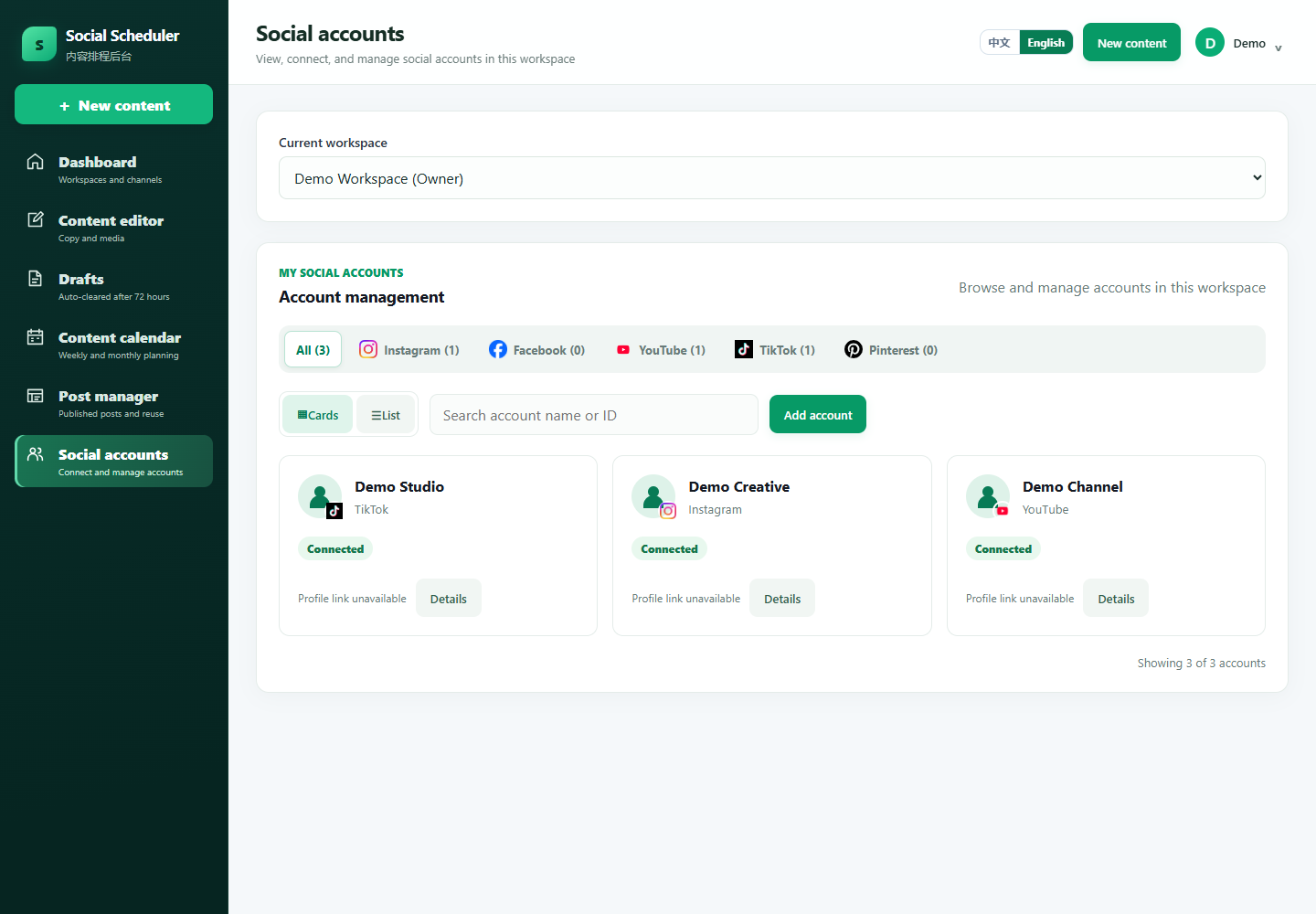
1. Choose the right account
Open Social accounts to connect through official authorization, filter by platform, and review each account before publishing.
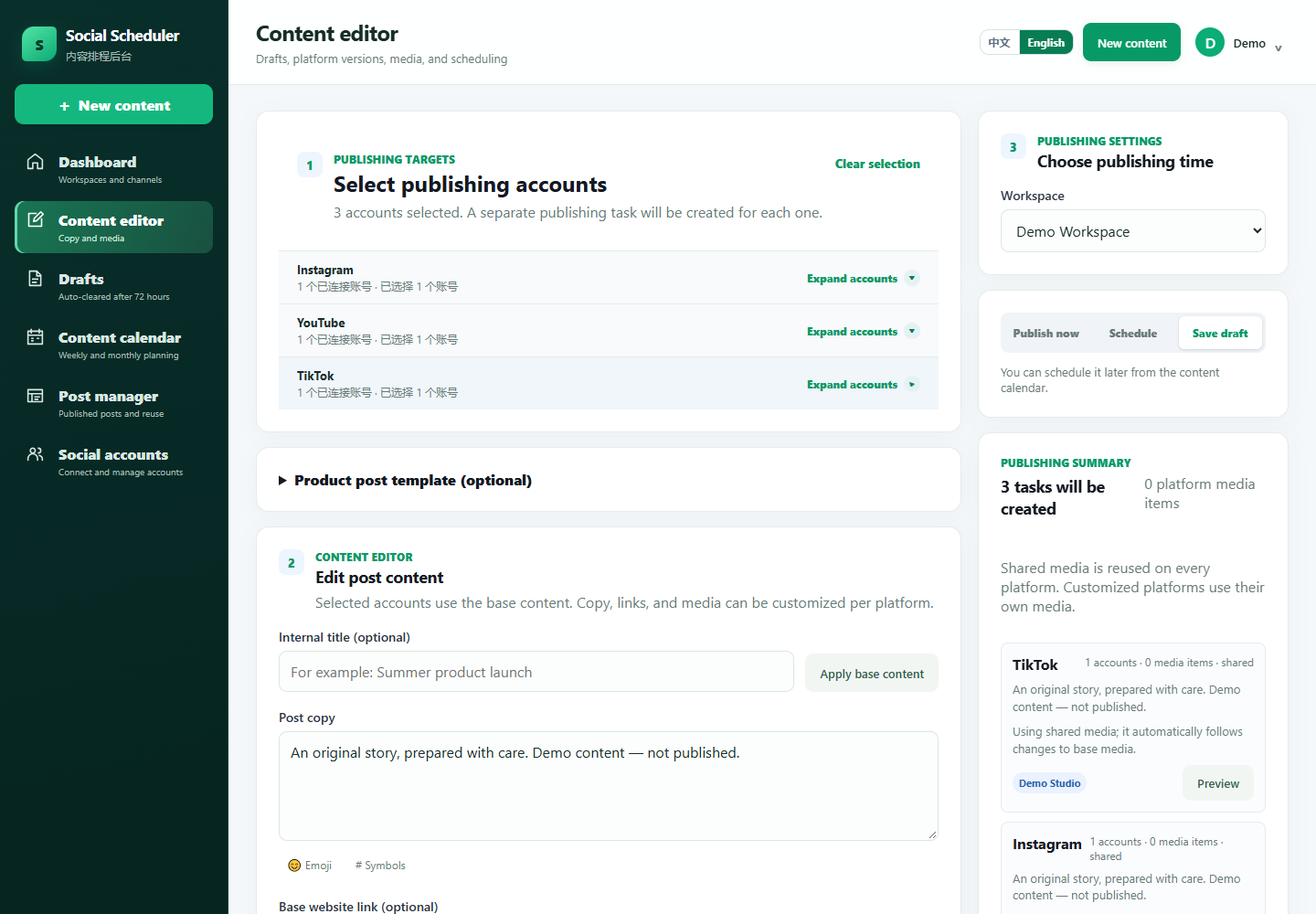
2. Prepare, review and confirm
Use Content editor to prepare original media and captions. Choose publish now or a schedule, review platform-specific options, and confirm. Follow task status in Content calendar and Post manager.
TIKTOK · user.info.profile
Recognize the account you authorized.
Optional profile access reads the authorized TikTok account’s username and profile link, helping users identify the account and open its official profile. Avatar and display-name access belongs to user.info.basic, not this additional permission.
This read-only access does not grant publishing, comment or direct-message access. Availability requires TikTok approval and user consent; additional profile access is not yet approved for general availability.
Read how authorized data is used and deleted →SUPPORTED WORKFLOW
InstagramTikTokFacebookYouTubePinterestLinkedIn
Available connections and publishing capabilities depend on each platform's account type, permissions, and review status.TikTok features are available only to users and businesses outside Mainland China.